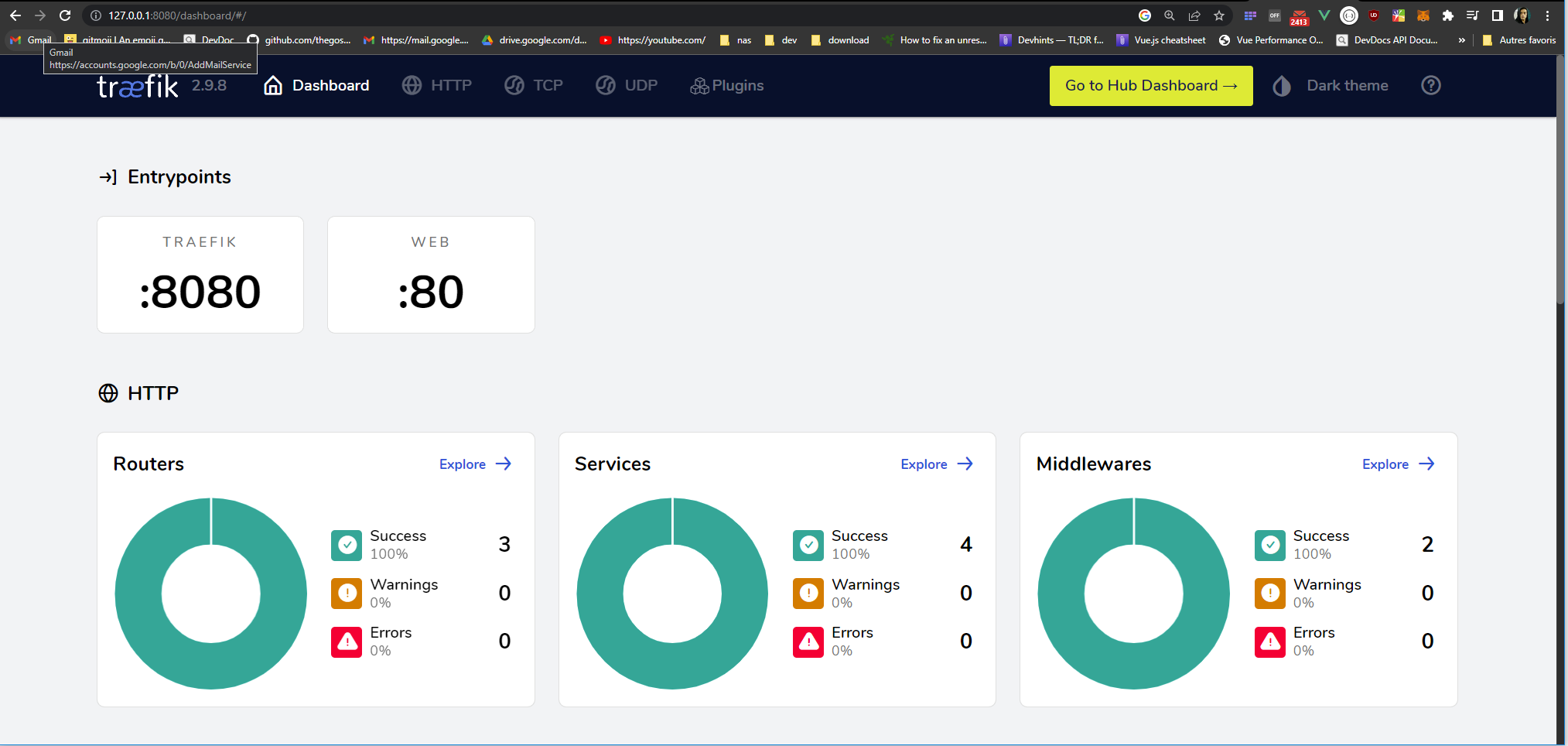
🦠 microservices-consul-traefik
In this project, we have microservices that register with Consul. Each services, announce themselves to Consul with some information like health check, name, port and tags. The Gateway used is Traefik. Traefik will fetch services from Consul catalog and thanks to tags generate routes.
Arch
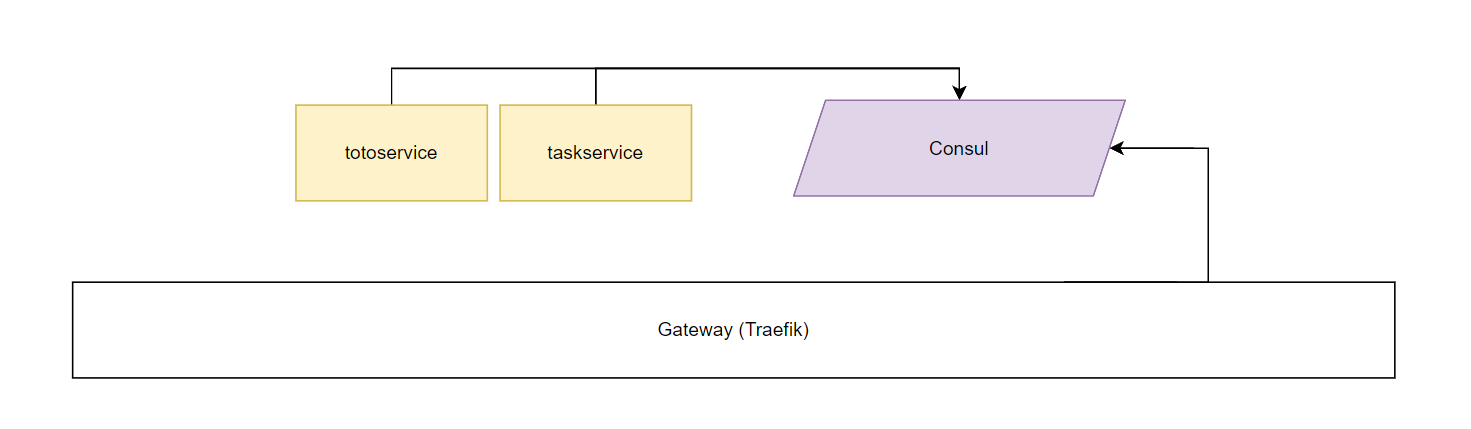
We have 2 services written in python.
import consulate
from flask import Flask

app = Flask('app')

@app.route('/toto')
def root():
    return '<h1>Hello, Server! tasks Service</h1>'

@app.route('/')
def run():
    return 'ok'

tags = [
    'traefik.enable=true',
    'traefik.http.routers.approuter.rule=PathPrefix(`/task`)',
    'traefik.http.routers.approuter.entrypoints=web',
    'traefik.http.routers.approuter.service=task-service',
    'traefik.http.services.task-service.loadbalancer.server.port=8000',
    'traefik.http.services.task-service.loadbalancer.server.scheme=http'
]

consul = consulate.Consul()
print(consul.catalog.services())
consul.agent.service.register('task-service', port=8000, tags=tags, interval='2s', httpcheck='http://host.docker.internal:8000')

if __name__ == "__main__":
    app.run(host='0.0.0.0', port=8000)
Each service is a small web app, it use Flask.
📒 Service registration
consul.agent.service.register(
    'task-service',
    port=8000,
    tags=tags,
    interval='2s',
    httpcheck='http://host.docker.internal:8000'
)
⛕ Traefik
tags = [
    'traefik.enable=true',
    'traefik.http.routers.approuter.rule=PathPrefix(`/task`)',
    'traefik.http.routers.approuter.entrypoints=web',
    'traefik.http.routers.approuter.service=task-service',
    'traefik.http.services.task-service.loadbalancer.server.port=8000',
    'traefik.http.services.task-service.loadbalancer.server.scheme=http'
]
Tags will be grabbed by Traefik and it will generate this configuration :
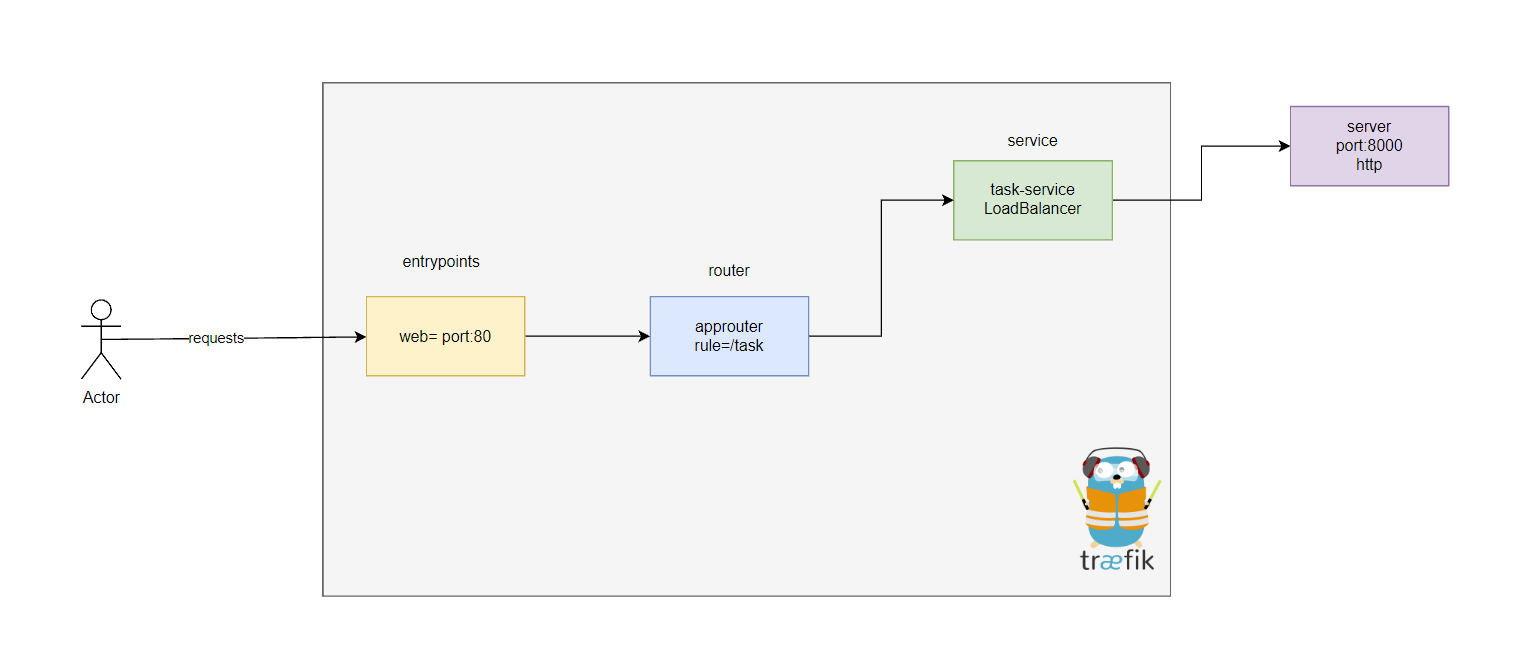
At the end we have this configuration :
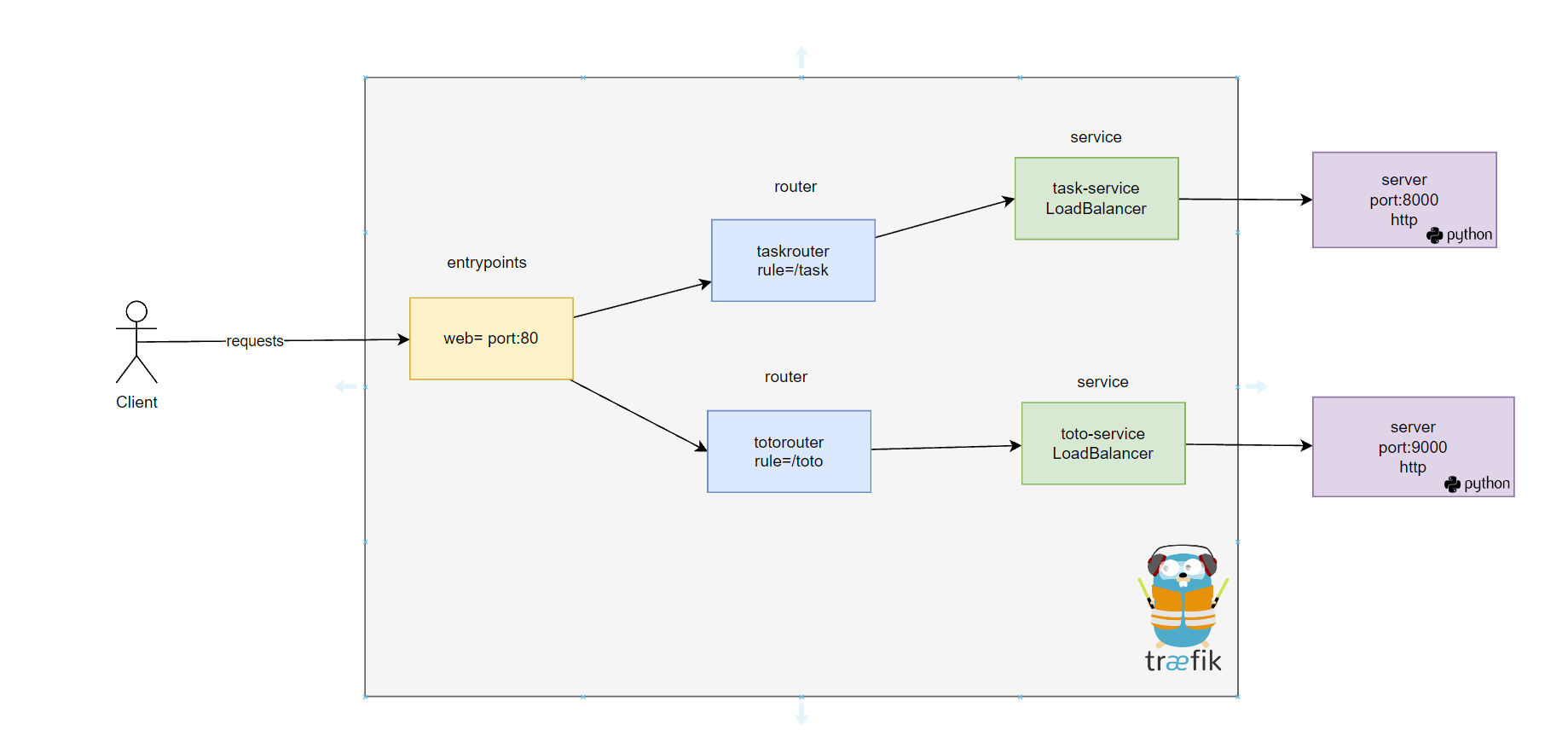
🚀 Run it
You need Docker to run Consul, Traefik can be installed depending of your preferences.
Consul
docker run -p 8500:8500 -p 8600:8600/udp --name=consul consul agent -server -bootstrap -ui -client="0.0.0.0"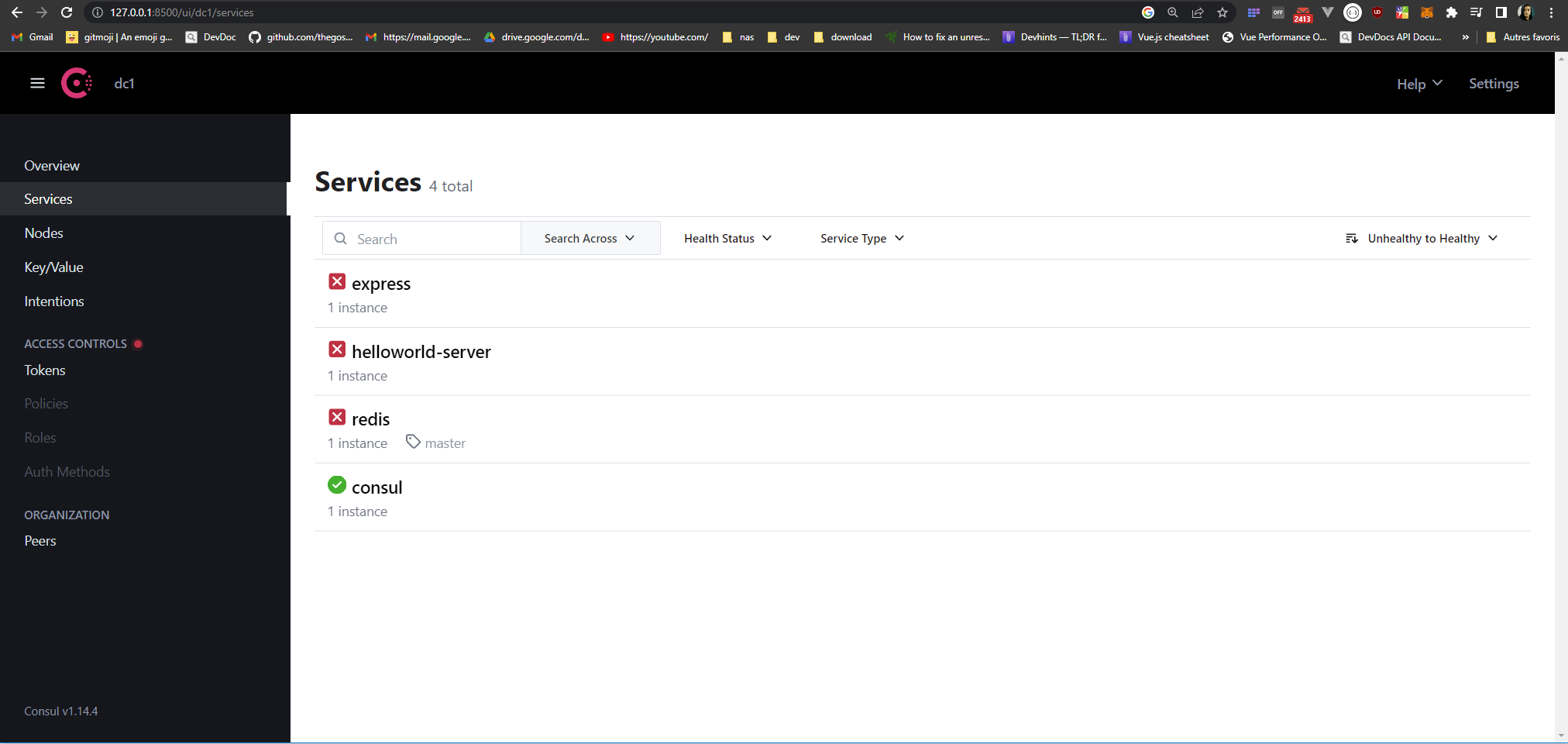
Traefik
https://doc.traefik.io/traefik/getting-started/install-traefik/
docker run -d -p 8080:8080 -p 80:80 \
    -v $PWD/traefik.yml:/etc/traefik/traefik.yml traefik:v2.9
MacOs
brew install traefik